Case study / Interactive manufacturing website & 3D storytelling
PackCraft India.Give an ordinary carton an extraordinary first impression.
I designed and built a packaging website that turns a carton into an interactive story, then gives buyers clear product comparisons, process information and a contextual quote journey.
- Role & focus
- Frontend development · Interaction & information design
- Public deployment
- carton.suriyaprakash.in
- Technology & patterns
- React / TanStack Start / Three.js / TypeScript / Tailwind CSS / Cloudflare Workers
Designed and built by Suriyaprakash Somu
§ 01 — The brief+
The problem behind the pixels.
Use motion to explain the product. Never make the product information depend on the spectacle.
My approach / Design + engineering
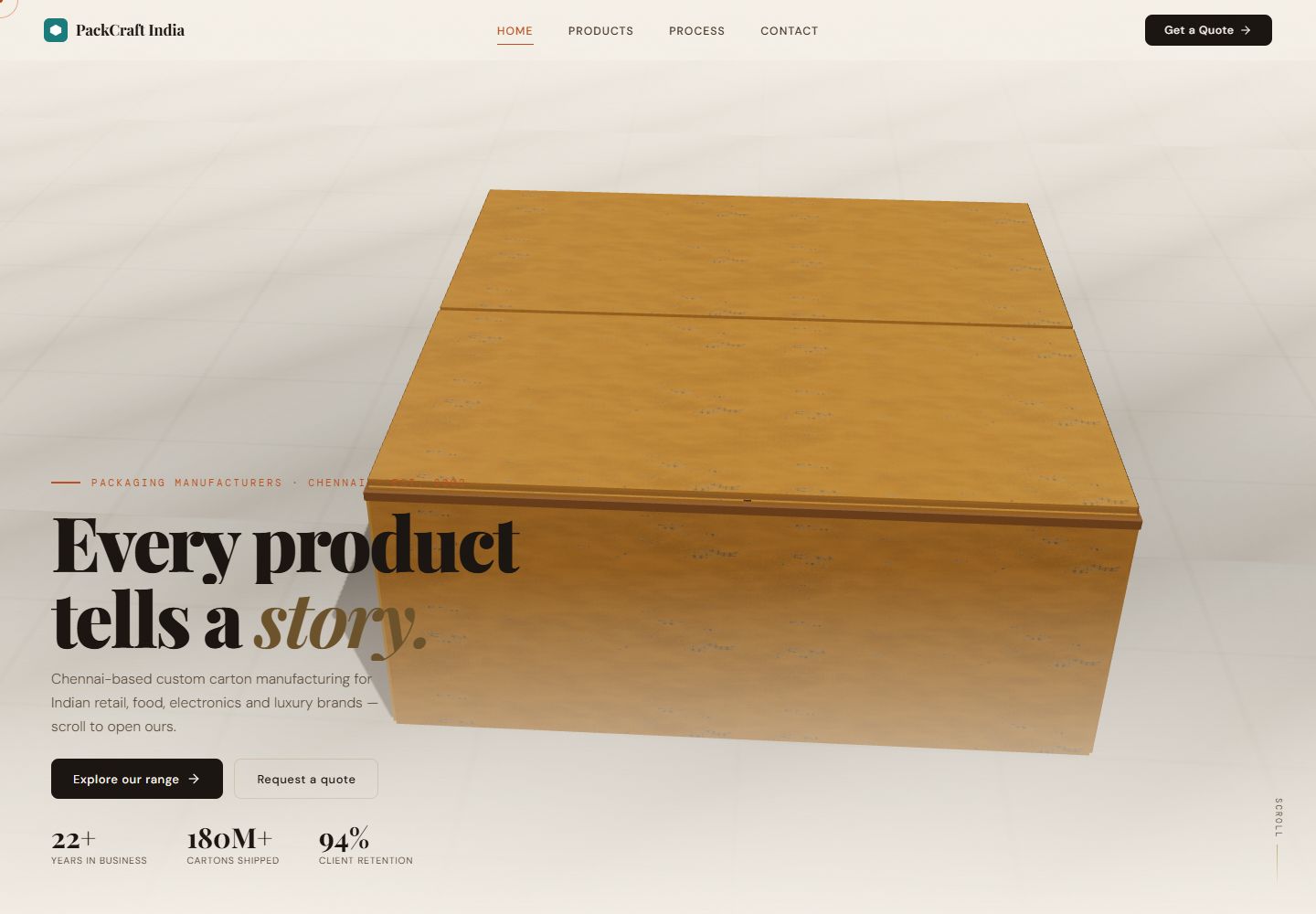
I wanted PackCraft India to give packaging the attention it deserves. A carton has texture, structure and an opening sequence—qualities I could use to tell a more distinctive digital story. At the same time, I needed the website to answer the practical questions a buyer brings to a manufacturing business.
I built a Three.js homepage experience and paired it with dedicated product, process and contact routes. The homepage introduces the brand through motion, while the supporting pages organise folding cartons, rigid boxes and corrugated shippers into clear families. I designed the two experiences to complement each other rather than compete.
I built the 3D scene, scroll choreography, visual hierarchy and product-to-enquiry navigation. I treated motion as a way to explain the product, not a reason to hide the information. That principle shaped both the animation state and the readable pages a visitor can reach directly.
§ 02 — The experience+
Follow the work. Not just the screens.
01 / First impression
Turn the scroll into an unboxing.
I made the carton the central object in the homepage instead of using an unrelated animated background. I choreographed scroll progress into chapters for the company, product range, process and contact. Each chapter coordinates movement, opening and content reveal around the package. I separated the chapter windows from the sampled motion so I could reason about how the sequence enters, holds and exits a state. That gives the animation a clear narrative rhythm and makes the unboxing part of the information design.
Scroll → carton motion → product and process chapters
02 / Buyer research
Let the practical pages do the explaining.
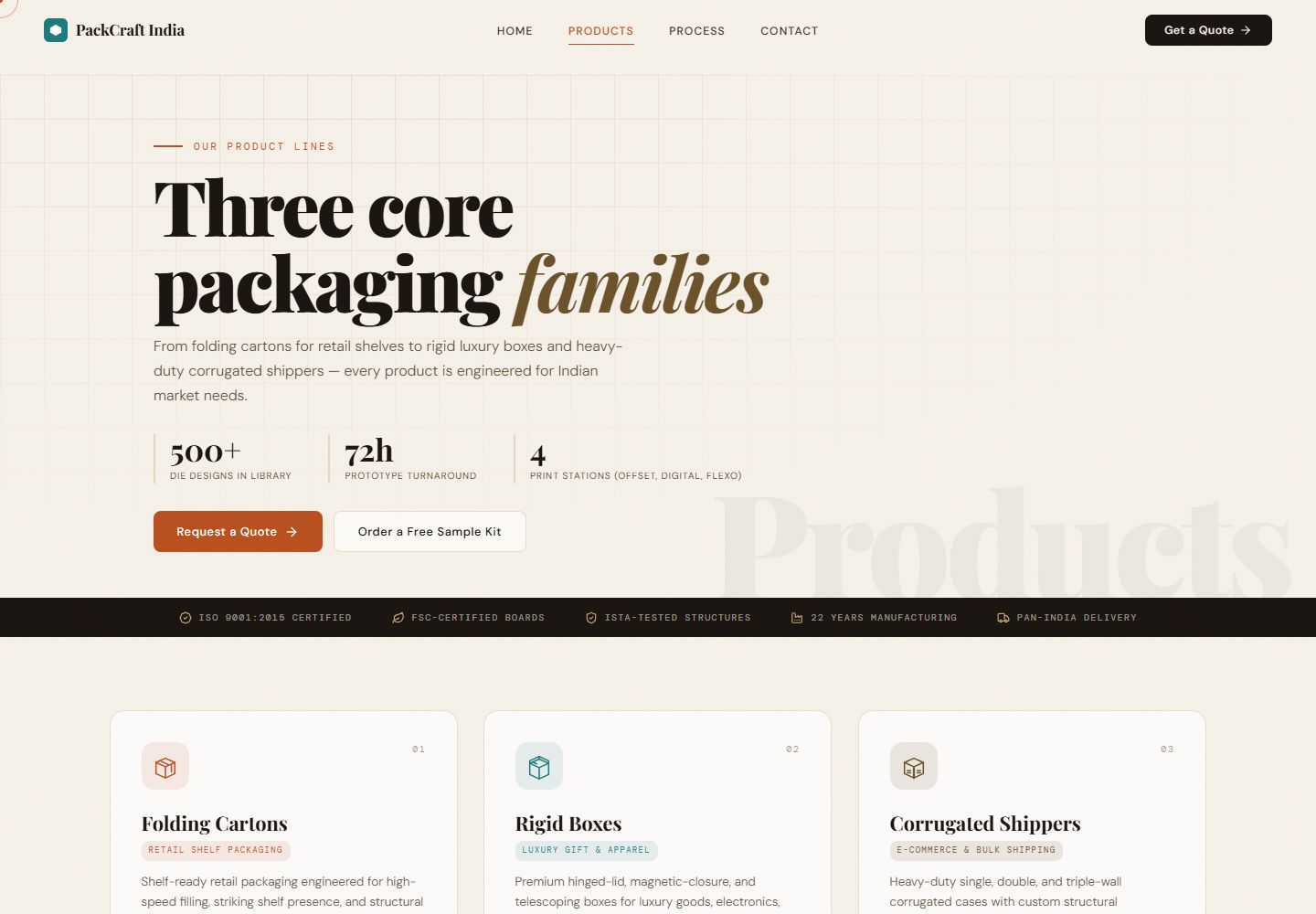
I built dedicated pages for the information a buyer needs after the first impression. I grouped the product catalogue into folding cartons, rigid boxes and corrugated shippers, then used intended applications, structures, finishing choices and specification-style details to explain their differences. I paired that with a process page covering the path from brief to delivery. I keep this content in readable page structures, giving visitors a direct route to useful details without requiring them to watch the entire homepage sequence.
Product family → specifications and process → enquiry context
03 / Quote preparation
Carry the product interest into the enquiry.
I designed the quote journey to remember the product a visitor was exploring. I carry product type and intent through the contact route, then use the form to collect the information that shapes a packaging brief: quantity, timeline, company details and a description. I built the form interaction and acknowledgement state as part of the frontend experience. The design keeps the transition from comparison to enquiry purposeful, instead of asking someone to start again on a blank contact page after selecting a product family.
Product intent → prefilled context → structured quote form
Explore the implementation
I brought the design and implementation together in the live site. Explore the pages, follow the interactions and see how the experience connects.
Visit carton.suriyaprakash.in§ 03 — The system+
Underneath the experience.
Page & navigation layer
React / TanStack Router
I use React and TanStack Router to connect the homepage with product, process and contact pages. I carry product intent into the quote interface through search parameters.
Motion & scene layer
Three.js / sampled choreography
I separate package creation, chapter windows and motion sampling. I test active-package selection, chapter boundaries and resting poses to keep the choreography predictable.
Presentation & delivery
Tailwind / Cloudflare Workers
I combine editorial typography, textured materials and responsive content layouts, with the application deployed on Cloudflare Workers. I keep product definitions organised in source data alongside the presentation.
§ 04 — Decisions & trade-offs+
The choices that shaped it.
01 / Storytelling over decoration
Make the motion meaningful.
I chose an opening carton because it gives the information a physical sequence: approach, open, discover and move on. I divided that sequence into chapter windows so the movement stays tied to the content being introduced. I wanted the interaction to explain something about packaging, not simply demonstrate a rendering effect.
A product-led identity rather than an interchangeable animated hero.
02 / Discovery still needs documents
Keep content outside the canvas.
I kept the product catalogue and process explanation in conventional routes so people can reach useful information directly. I use the homepage for discovery and identity, then let the supporting pages handle comparison and detail. That gives me clear internal links, readable content for search and a more practical experience on smaller screens.
A memorable entrance with practical pages behind it.
03 / Beyond visual guesswork
Test the choreography as state.
I test the motion rules as well as designing the scene. I check that chapter windows meet correctly, that only one package is active at a progress point and that each package returns to its exact home pose outside its chapter. Those deterministic checks let me refine the choreography with a stable foundation underneath the visual work.
Deterministic movement rules alongside the visual experience.
§ 05 — What I built+
Designed with intent. Built as a system.
What I delivered
- I deployed PackCraft India at carton.suriyaprakash.in.
- I built an interactive Three.js carton sequence with narrative chapters.
- I created product comparison, process and contextual quote-interface pages.
- I tested the motion boundaries and connected product intent to the enquiry journey.
How I made it work
- I connect narrative chapters to deterministic package-motion states.
- I keep product and process information readable outside the 3D scene.
- I preserve product intent from the catalogue into the quote-interface prototype.
§ 06 — More about my approach
Before the
next conversation.
How did I create the carton interaction?
I built it with Three.js and coordinated the package behaviour with scroll progress. I modelled the movement as chapters and tested the state transitions, while keeping product and process information in dedicated readable pages.
How did I organise the product content?
I grouped the range into product families, with structured definitions for applications, finishes and specifications. I maintain that content in source data and use it to build consistent comparison pages and contextual links into the quote interface.
What does the quote experience include?
I built a frontend quote prototype with product-context handoff, brief fields and an acknowledgement state. For a business implementation, I can connect that interface to a reviewed email or CRM workflow as part of the agreed delivery scope.
From case study to your next project
A clearer brief.
A more considered build.
I build expressive websites for manufacturers and B2B businesses with products worth showing. I combine product-led interaction with clear information architecture, responsive page design and purposeful enquiry journeys. I would shape the visual story around your business and connect the delivery workflow to the systems your team uses.