Case study / Dynamic healthcare website & service discovery
My Clinic.Finding the right care should not begin with guessing.
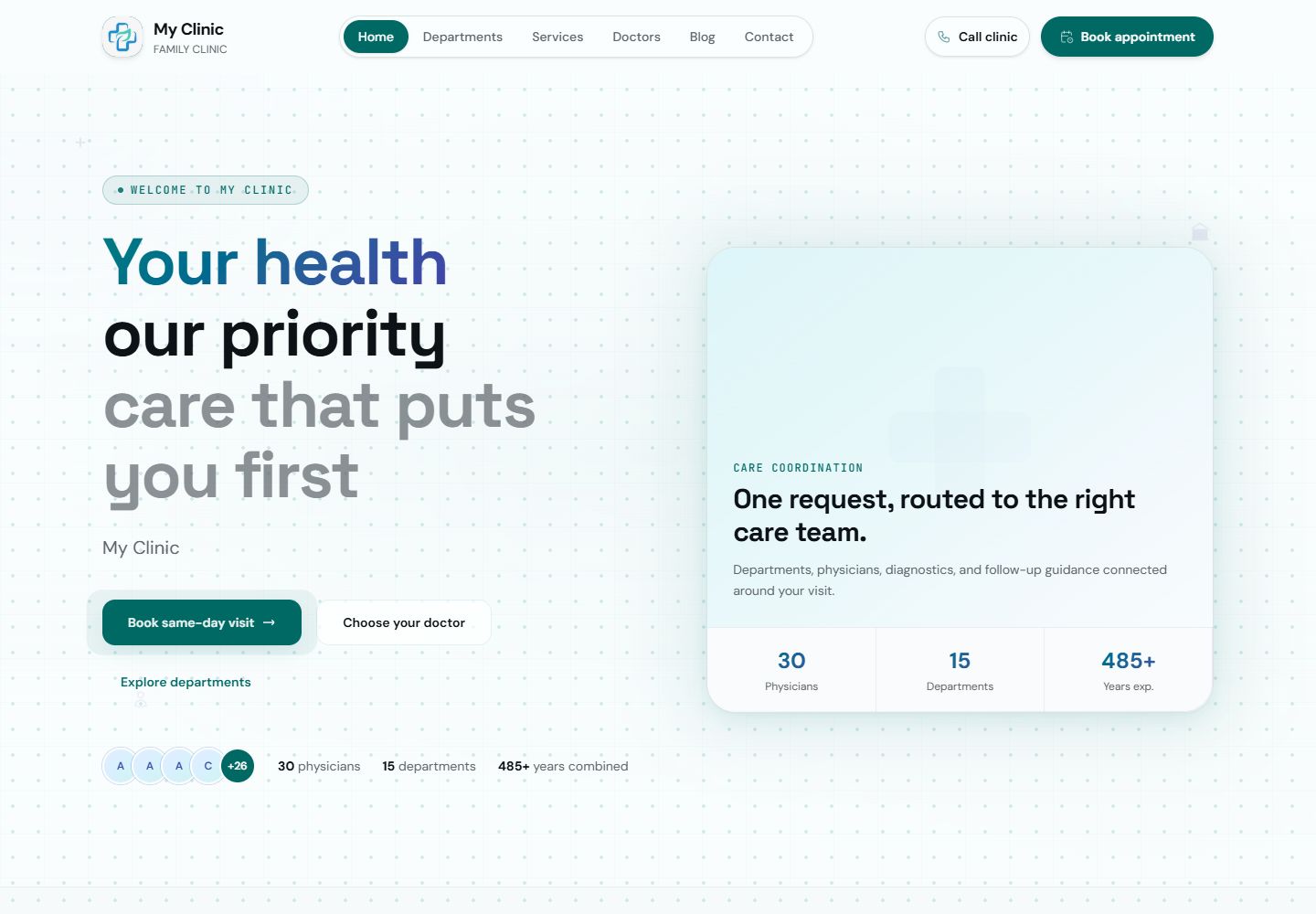
I built a dynamic healthcare website that connects departments, physicians and service options into a clear patient journey—from understanding the care to making contact.
- Role & focus
- Healthcare interface & connected content workflows
- Public deployment
- clinic.suriyaprakash.in
- Technology & patterns
- React / Dynamic Content / Service Catalogues / Patient Navigation
Designed and built by Suriyaprakash Somu
§ 01 — The brief+
The problem behind the pixels.
Help a visitor understand the options before asking them to choose one.
My approach / Design + engineering
I designed My Clinic around a familiar patient problem: knowing what help you need without knowing which department or appointment to choose. I wanted the website to make those options easier to understand, with useful information available before a visitor reaches a contact form.
I connected departments, physician profiles and service pages into one public journey. Departments establish the broad structure, doctors give visitors a route into the care team, and services explain categories, durations and price variants. I treated those as related views of the clinic’s content rather than separate destinations competing for attention.
I built the experience around dynamic content so the site can present a substantial catalogue without reducing it to a long, static list. My focus was the relationship between discoverability and clarity: a person should be able to enter through the homepage, a doctor profile or a service detail and still understand where to go next.
§ 02 — The experience+
Follow the work. Not just the screens.
01 / Orientation
Offer more than one way into the same care structure.
I created dedicated discovery routes for departments, doctors and services because visitors arrive with different levels of familiarity. Some know a department; others are looking for a specific clinician or consultation. I connected those routes through consistent navigation and clear homepage entry points. I also designed for visitors arriving directly on an internal page, where the interface needs to explain the wider care structure without forcing a return to the homepage. The result is a connected journey with several useful starting points.
Concern → department, doctor or service → relevant information
02 / Service discovery
Explain the option, not just the name.
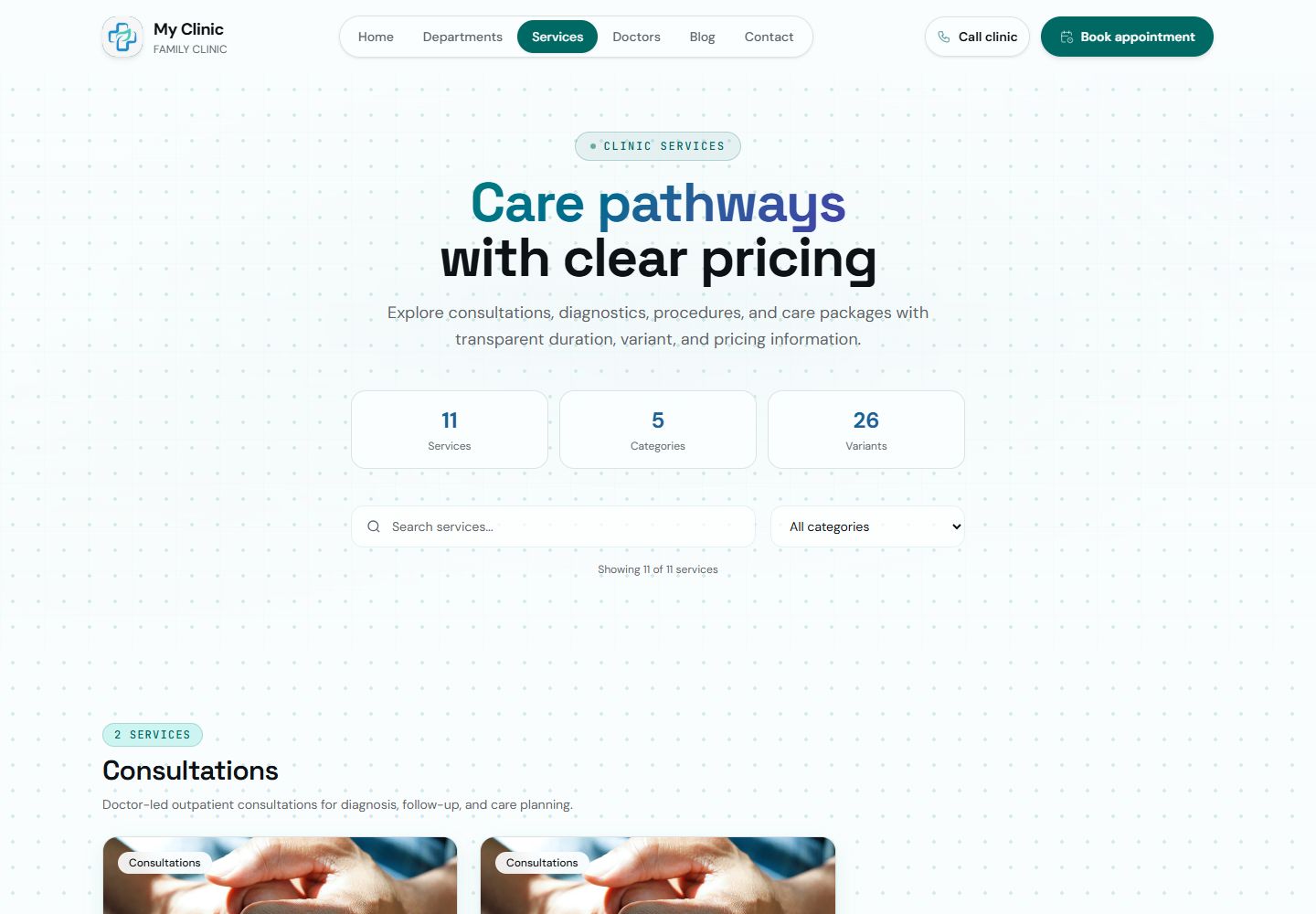
I built the services directory to explain the difference between options before asking a visitor to make contact. I surfaced categories, descriptions, durations, doctor-led indicators and variant-aware pricing at the comparison stage. A person can scan the directory, understand the broad choices and open the relevant detail. I gave variants a visible place in the interface because a short review and a more involved consultation should not become indistinguishable under one service name. That structure gives the catalogue more depth without overwhelming the first screen.
Service category → options and variants → full detail
03 / Making contact
Make the next step easy to find.
I placed contact and appointment-request paths alongside the information that helps someone use them. A visitor can explore a service, compare the care team and then ask for guidance without searching for a disconnected contact page. I kept the public journey focused on understanding and requesting care, with clear transitions from discovery to contact. That gives the clinic a consistent place to begin the conversation and gives patients a practical action at the point where they have enough context to take it.
Understand the care → request guidance → clinic confirmation
Explore the implementation
I brought the design and implementation together in the live site. Explore the pages, follow the interactions and see how the experience connects.
Visit clinic.suriyaprakash.in§ 03 — The system+
Underneath the experience.
Public information architecture
Homepage / departments / doctors
I organised the public site around departments, doctors and services. I connect those views through consistent navigation so a visitor can follow the route that matches their question.
Dynamic catalogue presentation
Categories / service variants / durations
I use structured categories, variants, durations and prices to create useful service comparisons. I keep short discovery information and deeper service details at the appropriate levels of the journey.
Connected contact paths
Service discovery / profiles / enquiries
I connect content pages to contact and appointment-request paths. I design each transition around the information a person has just read, keeping the next action relevant and easy to find.
§ 04 — Decisions & trade-offs+
The choices that shaped it.
01 / Not the database navigation
Lead with the patient’s question.
I treated departments, doctors and services as different ways of answering “Where should I go next?” I gave each a dedicated public route and made their relationship clear through navigation and page structure. That lets me support different levels of familiarity without forcing everyone through the same sequence of screens.
Multiple discovery paths, with a consistent route toward contact.
02 / Clarity before a conversion
Make service variation visible.
I surfaced variants, durations and price ranges where people compare care options. I wanted the directory to answer useful questions, with the detail page adding depth rather than simply repeating the same card. I use visual hierarchy to distinguish service names, explanatory copy and practical information so a richer catalogue remains readable.
A richer comparison experience than a flat list of service names.
03 / One connected healthcare site
Build a consistent content experience.
I brought care-team profiles, departments, services and health articles into a consistent page system. I keep the visual language familiar as someone moves between those areas, while giving each type of content the structure it needs. That balance lets the site feel cohesive without reducing every page to the same generic template.
A cohesive interface with purpose-built content structures.
§ 05 — What I built+
Designed with intent. Built as a system.
What I delivered
- I deployed a connected healthcare website at clinic.suriyaprakash.in.
- I built discovery routes for departments, physicians, services and health articles.
- I designed a service directory with categories, variants, durations and price ranges.
- I connected care information with relevant contact and appointment-request paths.
How I made it work
- I organise dynamic healthcare content around the way people look for care.
- I give practical service information a visible place in the comparison experience.
- I use a consistent page system to connect discovery, detail and contact.
§ 06 — More about my approach
Before the
next conversation.
How did I structure the dynamic content?
I gave services, physicians and departments their own connected page structures. That lets me present each type of information in the right format while keeping the wider care journey consistent across the site.
How do service variants work in the interface?
I show variants, durations and price ranges alongside service descriptions so people can compare options before opening a detail page. I use categories and a clear visual hierarchy to keep that additional information easy to scan.
Can I adapt the design for another clinic?
Yes. I can adapt the branding, care structure, team profiles and enquiry experience around a clinic’s requirements. I start by understanding how patients choose care and how the team maintains its information, then build the interface around those needs.
From case study to your next project
A clearer brief.
A more considered build.
I build healthcare websites around the questions patients bring and the content a clinic needs to maintain. I can shape the service catalogue, physician discovery, visual identity and enquiry journey around your practice, with a clear structure for keeping that information current.